Install “terra” package
In this article we will see how to read and write raster in R using the terra package. “terra” package replaced the “raster” package and also terra package can be used to read/write both vector and raster files. Also the terra package is faster than raster package. So if you are still using “raster” package to work with raster files in R, it is time to switch to the “terra” package.
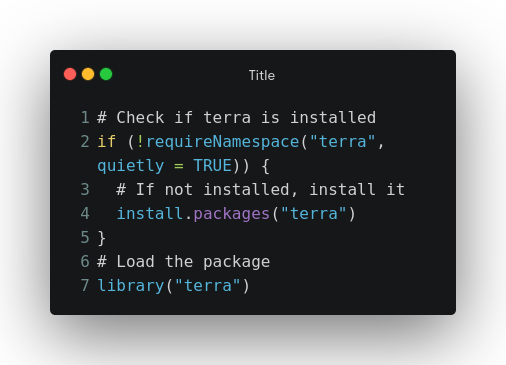
Let’s get started, first we have to install the terra package if not installed already using the following code.
# Check if terra is installed
if (!requireNamespace("terra", quietly = TRUE)) {
  # If not installed, install it
  install.packages("terra")
}
Write raster file
Now let’s create a dummy raster file having constant value 1 over a spatial extent of 78 E to 79 E and 17 N to 18 N and spatial resolution of 0.05 degrees. After that we will save the raster in current working directory.
# Load the package
library("terra")

# Extent of raster in EPSG: 4326 projection
xmin <- 78
xmax <- 79
ymin <- 17
ymax <- 18
# Assign crs and resolution
raster_crs <- 'epsg:4326'
raster_resolution <- 0.05
# Create SpatExtent object
raster_extent <- ext(xmin, xmax, ymin, ymax)
# Creates the raster
sample_raster <- rast(raster_extent, crs=raster_crs,
                      res=raster_resolution, vals = 1)
# Write the raster to disk
out_raster_path <- 'sample_raster.tif'
writeRaster(sample_raster, out_raster_path)
# To get the path of current working diretory
print(sprintf('Raster file saved at following directory (folder): %s', getwd()))
Read raster
Now let’s try to read that raster and plot it using the following codes
# Read raster in terra
raster_path <- 'sample_raster.tif'
ras <- rast(raster_path)
# Print raster
print(ras)
# Plot raster
plot(ras, main = 'Sample raster')
The complete code below
# Check if terra is installed
if (!requireNamespace("terra", quietly = TRUE)) {
  # If not installed, install it
  install.packages("terra")
}
# Load the package
library("terra")

# Extent of raster in EPSG: 4326 projection
xmin <- 78
xmax <- 79
ymin <- 17
ymax <- 18
# Assign crs and resolution
raster_crs <- 'epsg:4326'
raster_resolution <- 0.05
# Create SpatExtent object
raster_extent <- ext(xmin, xmax, ymin, ymax)
# Creates the raster
sample_raster <- rast(raster_extent, crs=raster_crs,
                      res=raster_resolution, vals = 1)
# Write the raster to disk
out_raster_path <- 'sample_raster.tif'
writeRaster(sample_raster, out_raster_path)
# To get the path of current working diretory
print(sprintf('Raster file saved at following directory (folder): %s', getwd()))
# Read raster in terra
raster_path <- 'sample_raster.tif'
ras <- rast(raster_path)
# Print raster
print(ras)
# Plot raster
plot(ras, main = 'Sample raster')
Your feedback is invaluable to me. If you have suggestions for future topics or improvements to my content, please don’t hesitate to share them with me.
 Home
Home 
Leave a comment